
Features:
Photo Encounters |
Forum
FAQ |
Disclaimer |
19 visitors online.
Contact Us:
Deenan |
Lucy |
Brenda
Skins:
Faces | Raindrops | Spring Clean



|

|

August 31, 2021 |
 This has been one of the most tedious but enjoyable recaps I've put together in a long time. With Elijah's new film, No Man of God, now out in theaters and streaming, there's a lot to cover. Interviews, reviews and plenty of videos. Some related to the film, some not, but all great viewing.
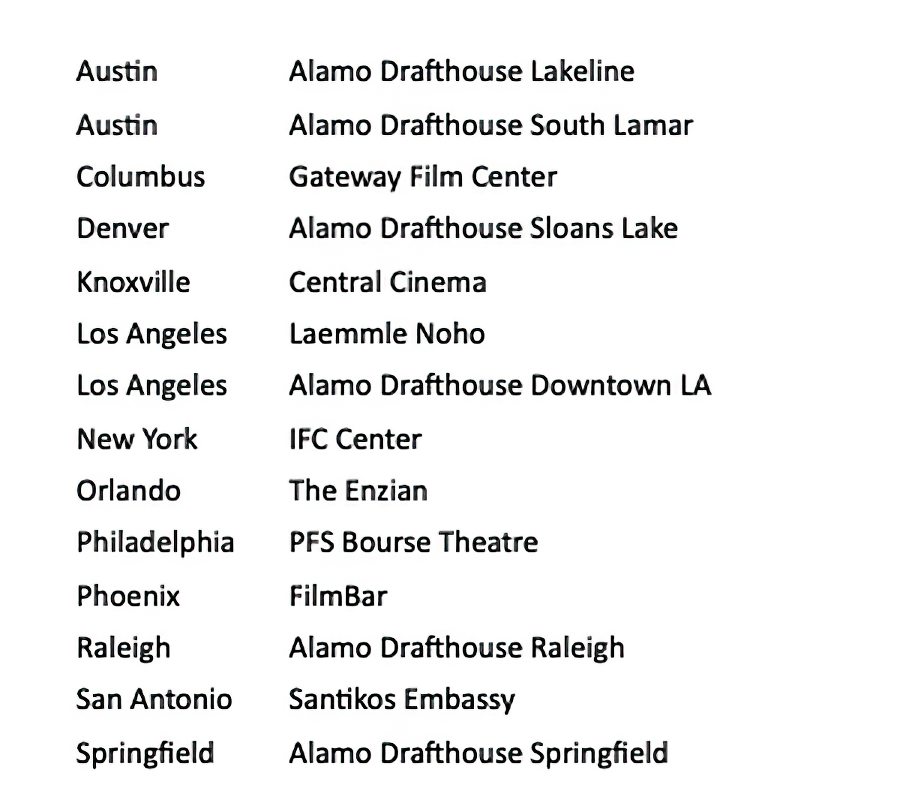
:: First of all, if you want to watch this riveting film, it's out in theaters in limited release. Here is a list of theaters it's playing at. If you're nowhere near one of them like I am, you can stream it on platforms like Amazon Prime, iTunes, Vudu, YouTube, and Google Play.
:: Elijah chatted with a lot of folks about working on No Man of God and various other subjects either by print or by video. Here are a few of them. Access Hollywood, ET Online, On The Red Carpet, Salon, and The Austin Chronicle.
:: His co-star, Luke Kirby, also gave print and video interviews with New York Live, Movie Maker, and ScreenRant.
:: Not to be missed, director, Amber Sealey, also spoke about making the film with Film Forums, Kicking the Seat, Movie Maker and The Jan Price Show.
:: There are other videos that are not completely related to the film. Check out these amusing retrospective conversations. The Fellowship of the Ring 20th anniversary, Most Iconic Characters, Data of Me, and a lively game playing The Ultimate Food Trivia Quiz between Elijah and Luke.
:: We know Elijah portrays FBI Special Agent Bill Hagmaier and this movie's core is about his experiences with Bundy. The real Hagmaier shared his account on the years he spent with Bundy and the film follows it pretty closely. While this is a fascinating read, it may be disturbing to some.
:: What are people saying about No Man of God? Below are just a few of the very favorable reviews. Beware of spoilers in all these reviews.
:: Print reviews from The Hollywood News, The Chicago Sun Times, The Aisle Seat, ScreenRant, and Nightmarish Conjurings. Video reviews by Film Threat, Insufferable Bastards, and a podcast review from One of Us.
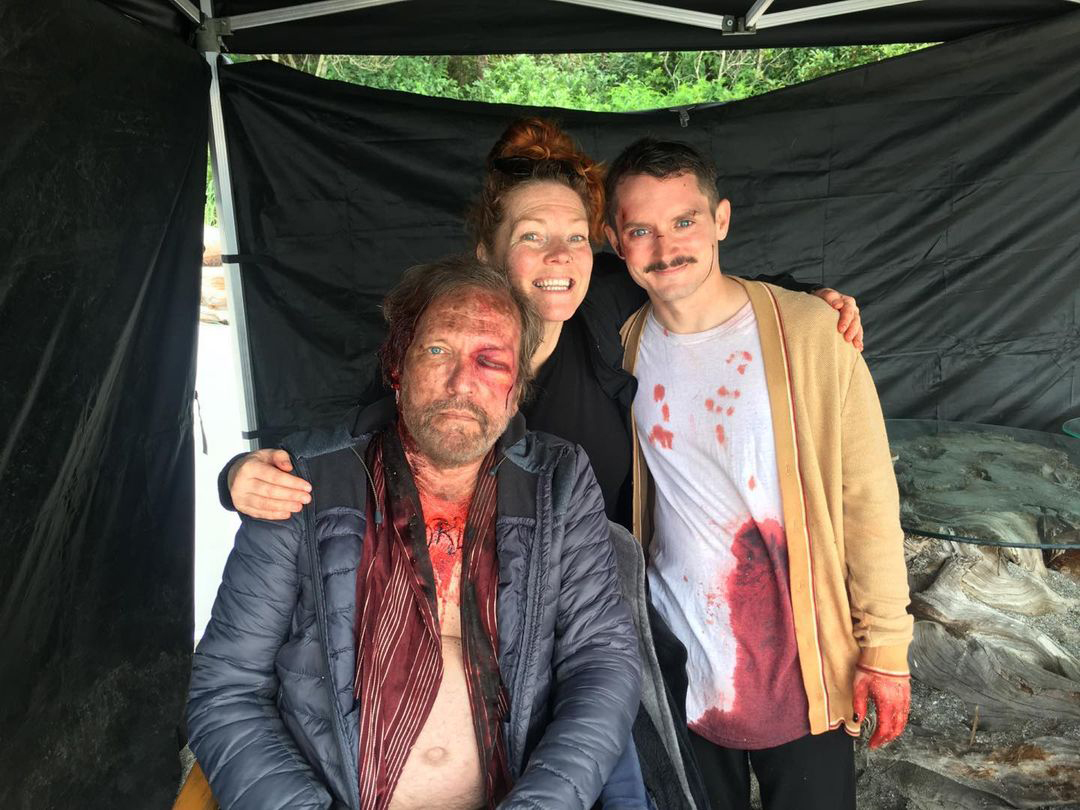
:: Finishing up this new movie recap, here are a couple of behind the scenes photos from the film. [1] [2]
:: I can't go through the video rundown without bringing attention to Elijah's recent appearance on First We Feast/Hot Ones. Elijah has been anxious to be a guest on this spicy culinary show for a long time and he closed out the show's 15th season with a bang. As a powerhouse, chewing his way through a gauntlet of fiery chicken wings, he's a joy to watch.
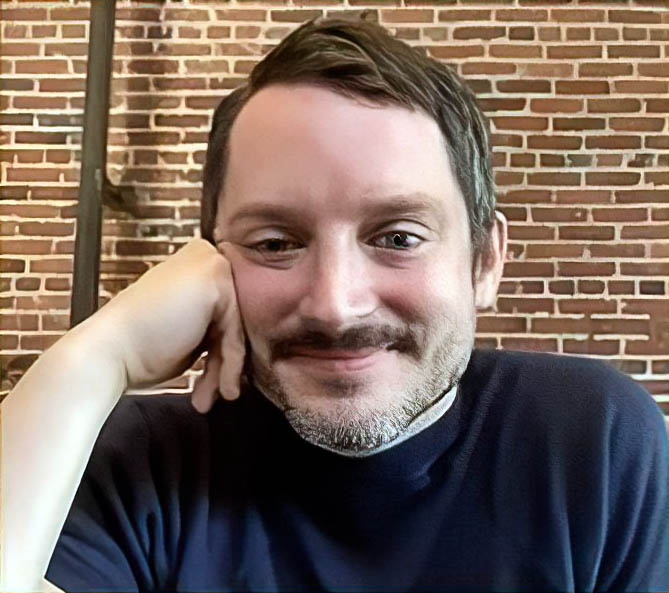
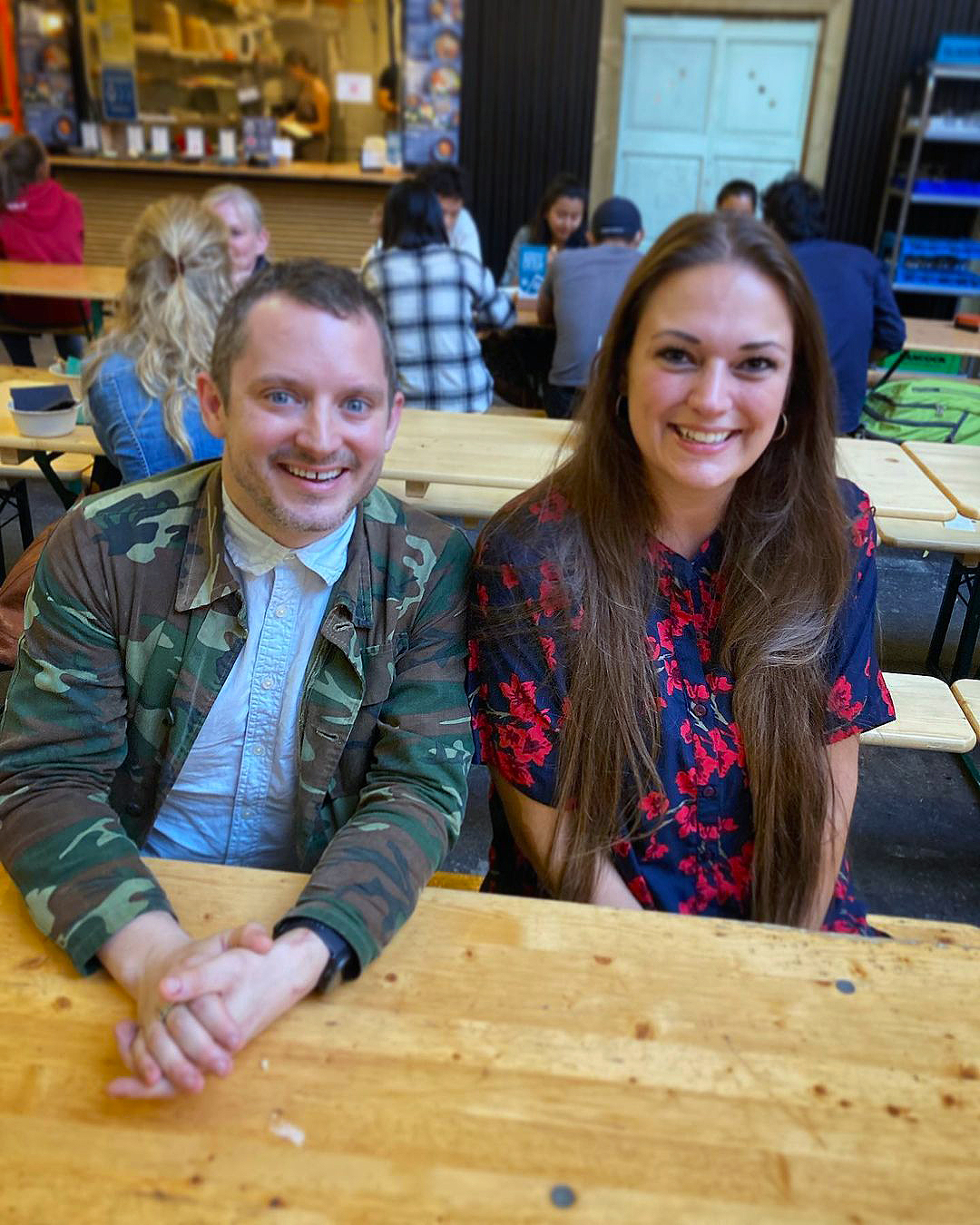
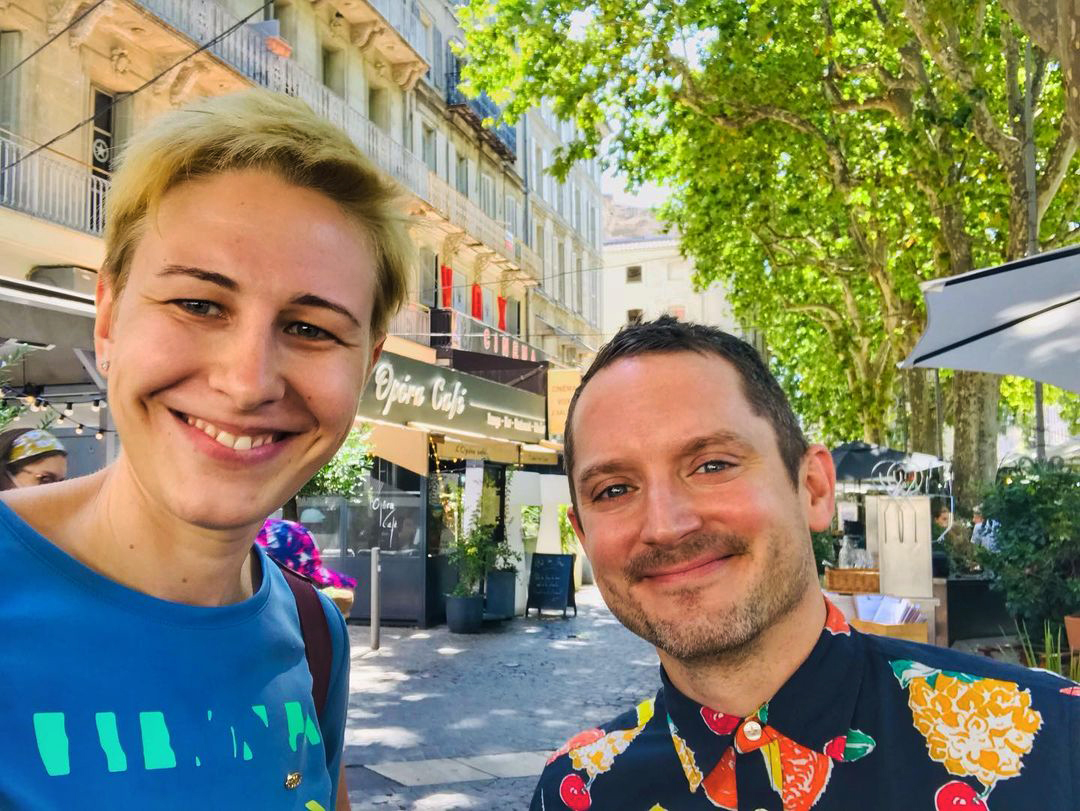
:: Filming wrapped on The Toxic Avenger earlier this month. Here are couple of photos from set. [1] [2]. Afterwards, Elijah took some time off to travel, with fans finding him in Bulgaria where the movie was shot [1] [2], Denmark, and France.
:: Elijah has teamed up with Double Fine again. Seven years after his award winning performance as Shay in Broken Age video game, he's now the voice of Nick in Psychonauts 2 and Game Dialogue has pieced together all of his speaking parts.
:: While Elijah had to bow out of MegaCon Orlando this month due to filming, he's slated for the Motor City Comic Con in Michigan come the weekend of October 15th.
:: Finally, a late additional behind the scenes photo from Come To Daddy.
Whew! That's all for now, and if all goes well, it just may be.
Deenan
|
July 31, 2021 |
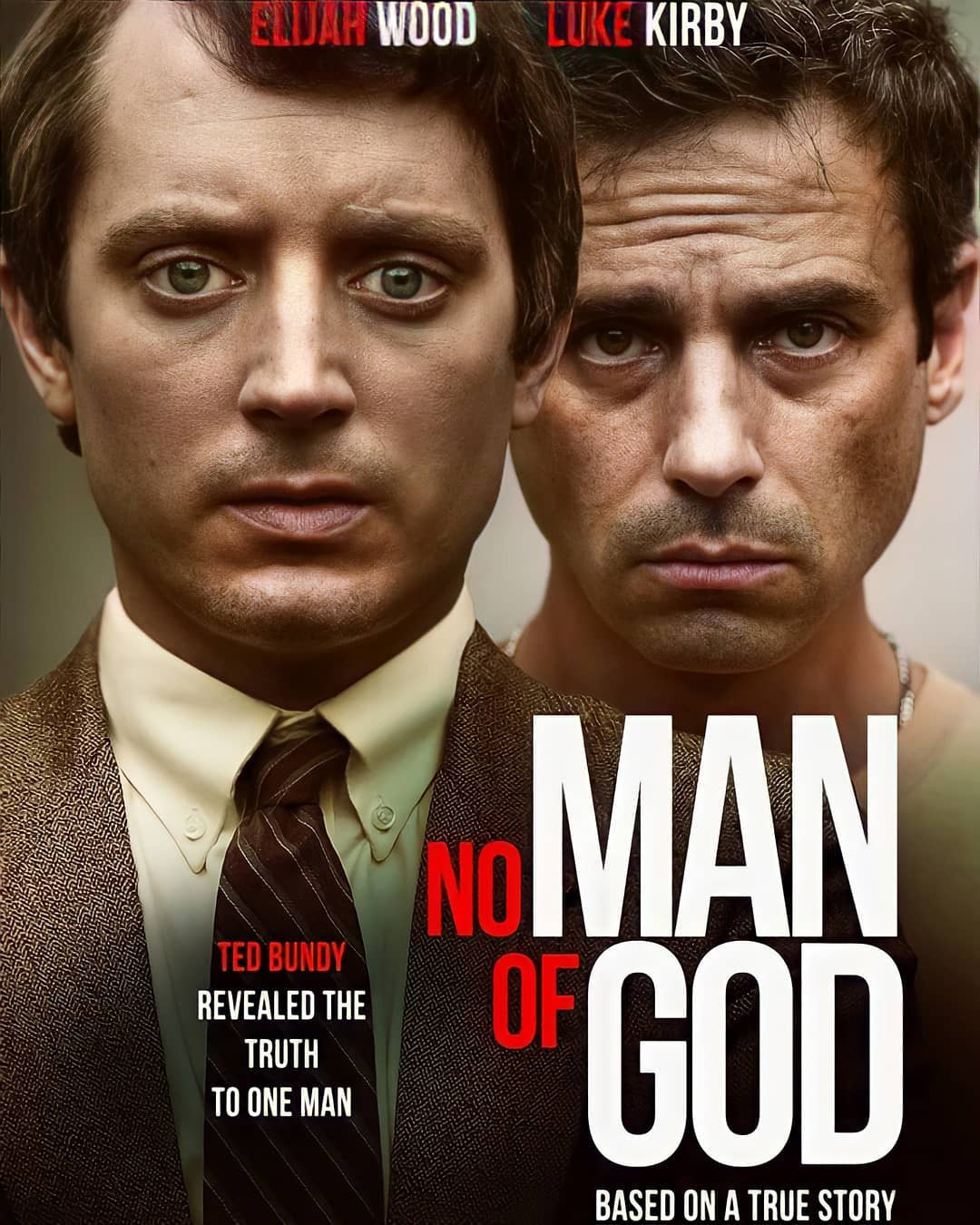
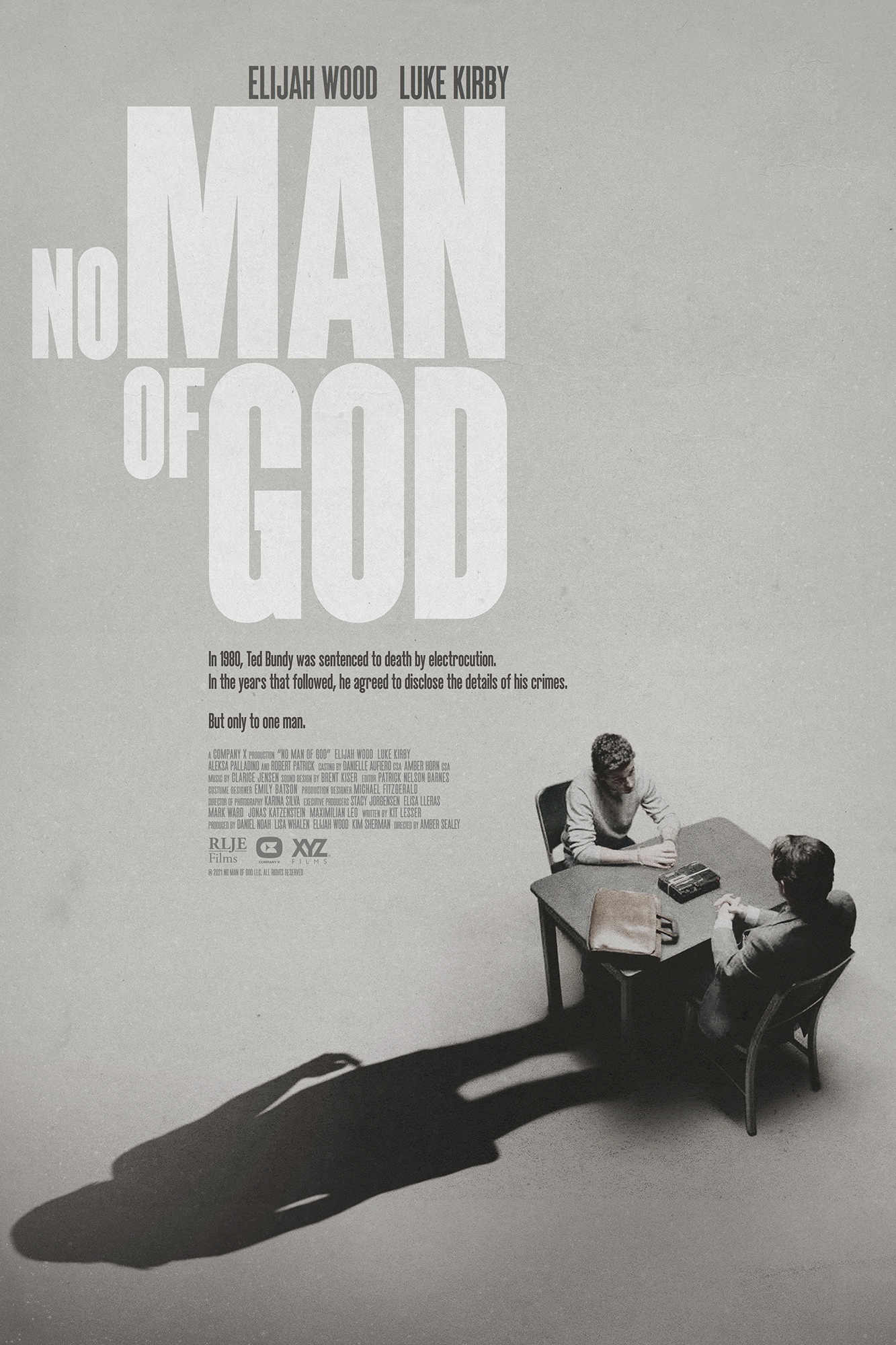
 Not long after the last recap, the trailer for Elijah's film, No Man of God, was released as well as the official movie poster.
:: No Man of God will make its European premiere at the Arrow Video FrightFest in London on August 29th just after the U.S. release on August 27th in theaters and streaming. Click to find out more about the festival and get tickets.
:: Have a look at some high res stills from the movie. [1] [2] [3] [4] [5] [6] [7] [8]
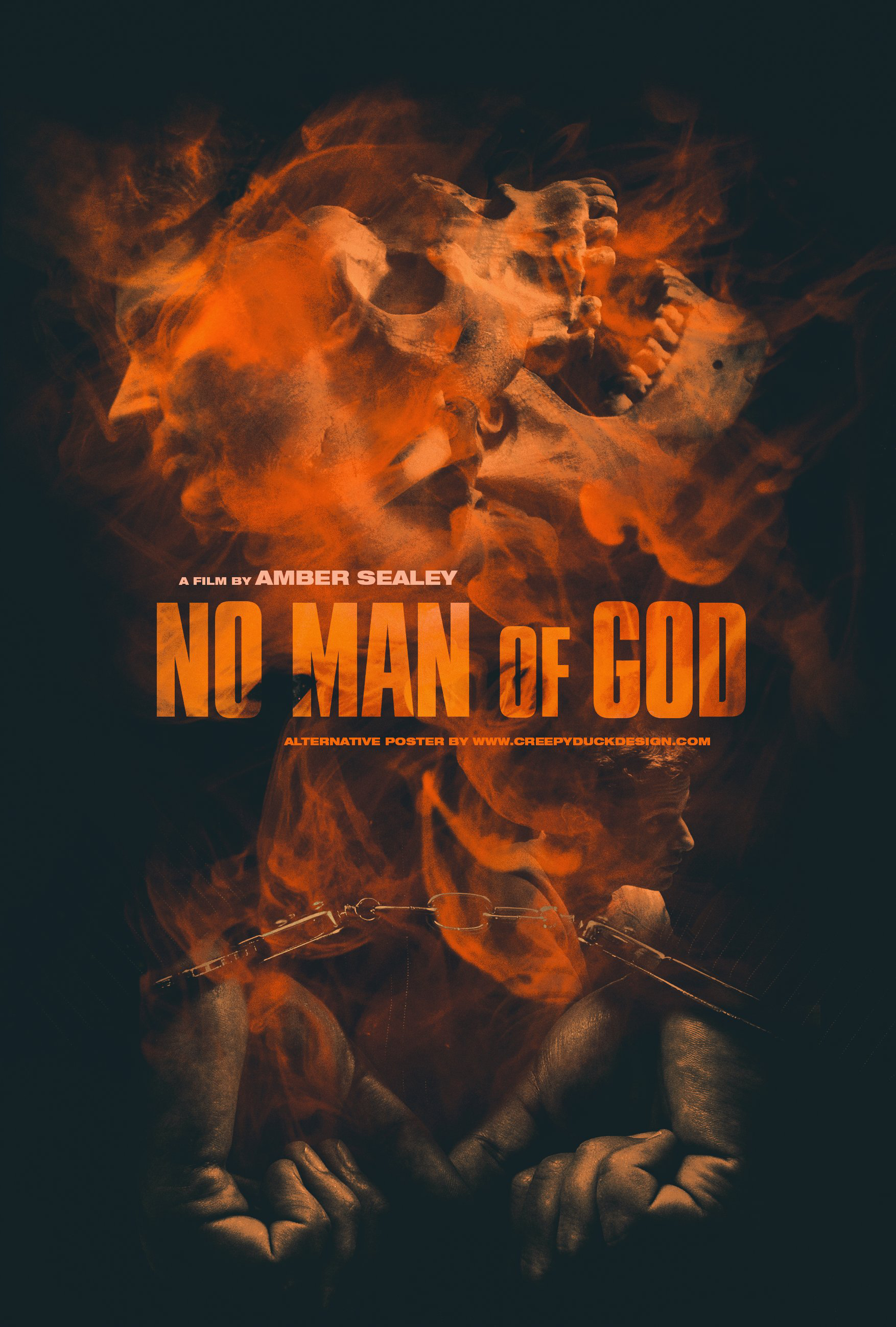
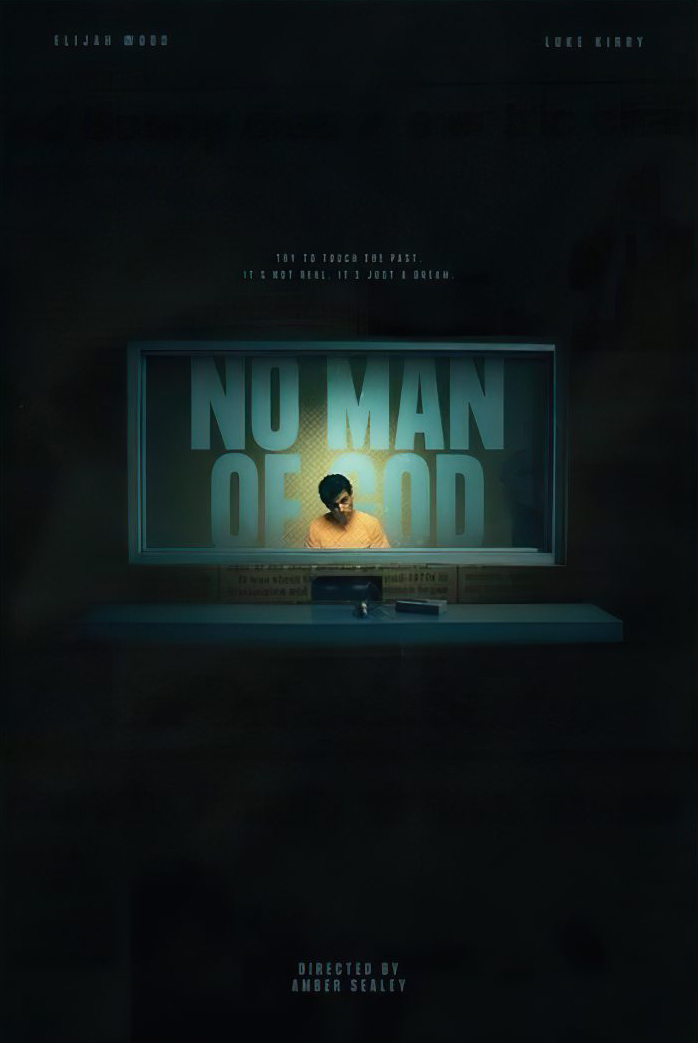
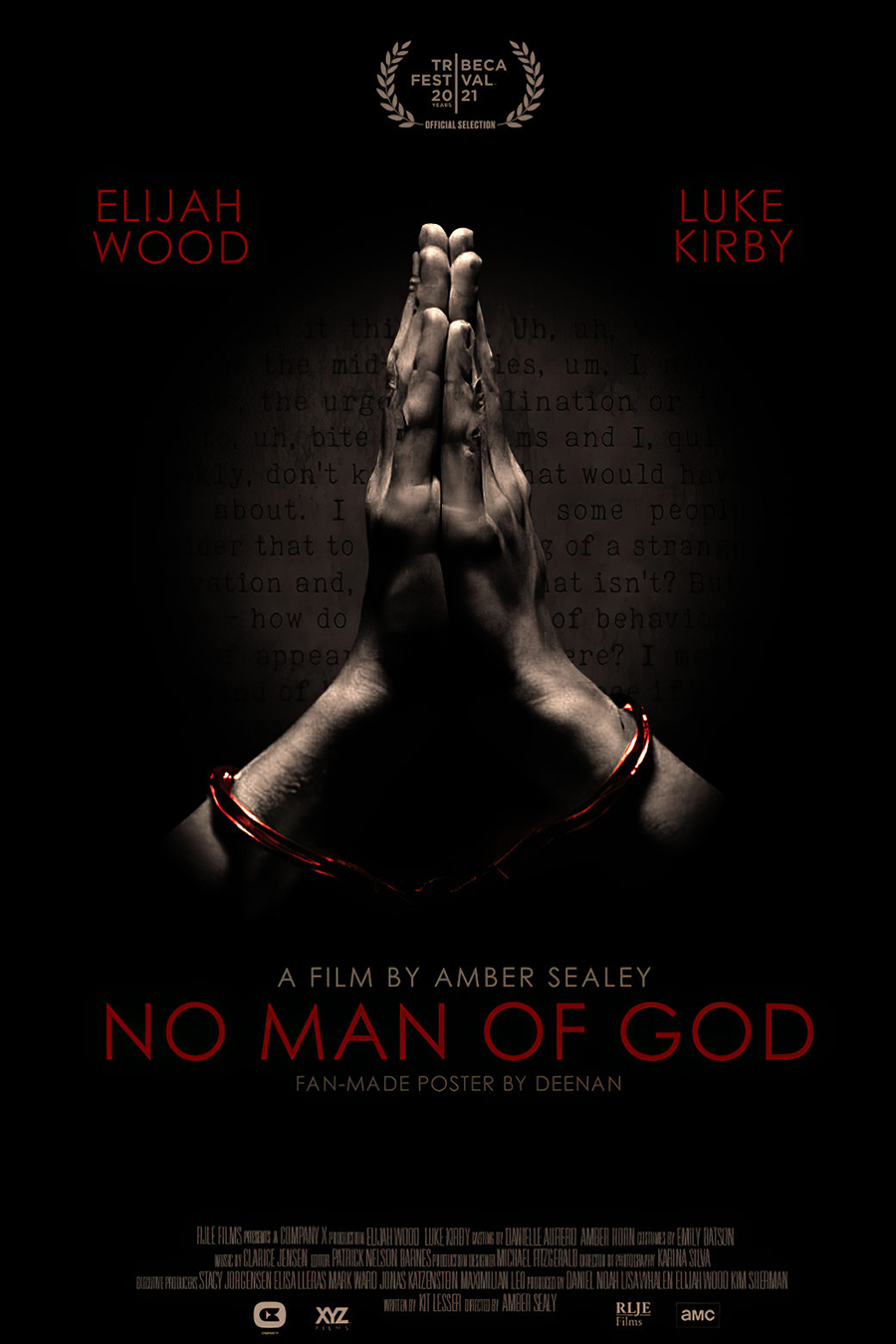
:: Some cool poster artworks have come, both officially and fan made. Check out the original poster design for FrightFest and the blu-ray by illustrator, Thomas Walker (TommyPocket). Fan made works from graphic designers, Colm Geoghegan (CreepyDuckDesign), Agustin R. Michel, and one I'm not sure of the artist, but it's a doozy! Last month I had my hand in on making a poster myself.
:: This coming Monday August 2nd, Elijah will be a guest on Brain Rot podcast where they discuss the best of the worst horror films from the 80s and 90s. Just up Elijah's alley. Visit their site and choose the app of your liking. It should be a fun conversation.
:: There's good news and bad news. The good news is that Elijah is scheduled to start filming The Toxic Avenger in Bulgaria in August. That means the bad news is he along with Billy, Sean and Dom have cancelled their appearance at this month's MegaCon Orlando. According to the con's Twitter account, it wouldn't be a reunion without all of them so they will be there in 2022, but we'll just have to wait and see.
That's all... for now.
Deenan
|
June 30, 2021 |
June has been a very busy month! It's been so long since this much activity happened it's hard to know where to begin, but begin I will!
:: Elijah's new film, No Man of God premiered at the Tribeca Film Festival. Covering a premiere or a film festival almost seems foreign but there are plenty of photos from the event. Just click on the image below to be taken to the festivities.

:: Also, there are videos before and during the festival from Collider, NOIAFT, Spectrum News, a quickie from the Q&A, for you lucky Canadians, one from ET Canada, and a really fun one from Vulture where Elijah speaks more about geese and pizza than the movie.
:: Nearly two dozen early reviews of the movie are positive, giving high praises for the acting, directing, writing and aesthetics. Below is a small list of them.
Film Threat
Bloody Disgusting
Big Gold Belt Media video review
Dread Central
Film Inquiry
Reel Talk
Killer Horror Critic
Nocturnal Critic's personal picks for the best of the festival. Play attention to the number 2 spot at 14:38.
:: Director Amber Sealey along with her stars, Elijah and Luke Kirby talk to Deadline about the movie.
:: Here's a very good article on Patrick Nelson Barnes about his work editing No Man of God.
:: Just days before the festival, the announcement came that the movie will be out in theaters and streaming on August 27th. I saw the film through the Tribeca at Home platform and I watched it as many times as I could before my time ran out. It's a compelling work of movie-making where I found the acting superb and the cinematography striking.
:: With the new movie accounts summed up, Elijah sat down with a couple of good friends for their podcast, The Friendship Onion, in a two part reflective and humorous must-see conversation. [Part 1] [Part 2]
:: Earlier this month reports came that Elijah was on board to be the main villain in the reboot of The Toxic Avenger, directed by Macon Blair. Elijah and Macon together again? It was exciting news but I was a bit skeptical because Elijah himself didn't confirm it. Low and behold about a week later, it was announced the villain would now be played by Kevin Bacon. But not long after, Elijah happily tweeted that he will indeed be part of the cast. Shooting is scheduled to begin this week in Bulgaria.
:: To close out this "back to normal-ish" update, Fantastic Fest will be back this year. Sadly, I won't be attending but you can bet Elijah will be there, hyped and ready for some fantastic fun!
That's all... for now.
Deenan
|
May 31, 2021 |
 There are more updates on No Man of God. RLJE Films has picked distribution rights and the movie will be in theaters this August. It will make its debut at the Tribeca Film Festival this month, but if you can't make it in person, you can watch the film at home from June 12th to 14th. Read more about the movie and how you can watch on the festival's site.
:: If you're a fan of podcasts, here are a few you should listen to. First, Hollywood Is Dead recently spoke with the director of No Man of God, Amber Sealey, where she discusses making the movie and working with Elijah and Bill Hagmaier, the FBI agent Elijah portrays. The same podcast also spoke with Daniel Noah last month. Lastly, The Kingcast anniversary podcast features past guests, Elijah being one, as they discuss several of Stephen King's short stories.
:: Legion M paired up with Funko Pop and produced some amazing figures from Mandy that you can pre-order. There is a quick video of Elijah who dropped by to promote the figures in his super excited way.
:: Here is a wonderful reading of the children's book, The Toot Fairy, that Elijah did for a Cameo request.
:: This may have drifted under people's radar, so check out Socially Distanced Dirk with Samuel Barnett and Hannah Marks. Even after four years of Dirk Gently being wrongfully taken off the air, not one beat has been missed with these marvelous characters.
:: Time Magazine has a special The Lord of the Rings single edition available through Amazon, but the stock is nearly gone. You can check your local newsstands or purchase a copy through Ebay as well.
:: Finally, Billy Boyd and Dominic Monaghan's new podcast, The Friendship Onion is now available with a new podcast every Tuesday! Not only can you listen, it's also on Youtube for viewing.
That's all... for now.
Deenan
|
April 30, 2021 |
 April was a bit slow but picked up momentum near the end, so let's get to it!
:: Elijah's new film, No Man of God, which is also produced by SpectreVision has released a few teaser images. [1] [2] [3]
:: Along with the images, there is an interview with director, Amber Sealy and Elijah at Entertainament Weekly.
:: The movie will have its premiere in the Spotlight Narrative films category at the Tribeca Film Festival taking place in June. They are making the festival possible for anyone who wants purchase tickets to watch virtually online.
:: Fangoria's Chainsaw Awards were huge for Elijah and his production company. The winner for Best First Feature went to Ant Timpson's Come To Daddy. SpectreVision's Color Out of Space picked up Best Limited Release and Best Creature FX. Congrats to all! You can view the entire list of winners and a video of the Zoom ceremony is on YouTube.
:: Elijah played host to master storyteller and author Clay McLeod Chapman for his new book release, Whisper Down the Lane. The video is still available through Firefox browser, but no word on how much longer it will stay. You may encounter a replay fee if it's not. Check it out if you can. It's an engaging hour and fifteen minutes.
:: Finally, another convention is returning. MegaCon Orlando is set to begin in August with Elijah, Billy, Dom and Sean all reconfirming their appearance. Let's be honest. This is the better year to have these reunions since Fellowship of the Ring is celebrating its 20th anniversary. Attendees to the Orlando and Dallas cons should be in for a treat!
That's all... for now.
Deenan
|
March 27, 2021 |
 Topping off this month's recap is the announcement that The Lord of the Rings will have a special 20th anniversary screening of the trilogy in theaters which began this past Thursday. The catch is that over the next three weeks they are only showing at the Alamo Drafthouse Cinema chain.
:: With the pandemic still going on, many Ringers are not ready to step foot in a theater. While taking precautions and completely aware of public concerns, the officials at Alamo have stated the conversations with the cast will be available online for the rest of the world later in the year. It makes sense to have these repeats in December to commemorate the true anniversary. I'll do my best to keep this updated and I'm going to hold Alamo to their word.
:: Post-screening conversations will be held with Elijah, Sean, Billy, Dom, Liv, Viggo, Cate, Orlando, Sir Ian, Andy, and Peter Jackson, one group for each of the films. These are all hosted by major LOTR fan, Stephen Colbert. Dom has posted a snippet of their chat on his Instagram.
:: One convention that was canceled last year is back in swing. Fan Expo Dallas re-confirms Elijah, Billy, Sean and Dom for the September event. Check out their website for ticket information.
:: I forgot to mention that an old interview of Elijah during promotions for North has been posted on YouTube.
:: Sad to report that in response to allegations against Color out of Space director, Richard Stanley, SpectreVision has cut ties with the filmmaker. They also announced that future revenues from the film will go to charities dedicated to stopping domestic violence.
That's all... for now.
Deenan
|
February 28, 2021 |
 Let's begin with the big news of the month. By now we know that Elijah and Daniel Radcliffe got together for a photoshoot. Well, not exactly together. Click here to see the pictures.
:: As photographer, Art Streiber recounts, managing Elijah and Daniel's shoot in these pandemic times was a task. In a makeshift studio set up in a driveway, he photographed them separately, a week apart with each of them playing off their invisible counterparts. He described them as "gentlemen who were delightful in front of the camera and rose to the challenge." All of this is in celebration of Harry Potter and The Lord of the Rings both celebrating their 20th anniversary this year. We can thank Empire Magazine for the photoshoot, their interview conducted via Zoom, and a phenomenal article in their April issue on stands now.
:: Also in conjunction with the anniversary, and 27 years after the first set, Elijah made another engaging Superbowl commercial earlier this month.
:: HeadGum's Dead Eyes Podcast recently spoke with three actors who shared roles with Tom Hanks' characters when they were kids. In Radio Flyer, Elijah did just that. Have a listen to the podcast here.
:: There's a pretty good article from Collider that examines Elijah's four best performances showing why he's one of the great actors. Personally, I would include two others. Maniac and Everything Is Illuminated.
:: If you haven't seen it yet or would like to view one of the most unique superhero movies recently released, SpectreVision's Archenemy is now available on Blu-ray/DVD.
:: Closing out this February recap, it was reported that Elijah has signed on with ICM Partners. This immersive representation has a niche with independent films, television and podcasting, some of the very projects Elijah is connected with. May they have a productive and bountiful relationship.
That's all... for now.
Deenan
|
|
| |
|
| |
|
|
|











![[1]](http://always.ejwsites.net/im2021/godbts4.jpg)
![[2]](http://always.ejwsites.net/im2021/godbts5.jpg)
![[1]](http://always.ejwsites.net/im2021/toxic1.jpg)
![[2]](http://always.ejwsites.net/im2021/toxic2.jpg)
![[1]](http://always.ejwsites.net/im2021/bulgaria1.jpg)
![[2]](http://always.ejwsites.net/im2021/bulgaria2.jpg)
![[1]](http://always.ejwsites.net/im2021/nmogstill1.jpg)
![[2]](http://always.ejwsites.net/im2021/nmogstill2.jpg)
![[3]](http://always.ejwsites.net/im2021/nmogstill3.jpg)
![[4]](http://always.ejwsites.net/im2021/nmogstill4.jpg)
![[5]](http://always.ejwsites.net/im2021/nmogstill5.jpg)
![[6]](http://always.ejwsites.net/im2021/nmogstill6.jpg)
![[7]](http://always.ejwsites.net/im2021/nmogstill7.jpg)
![[8]](http://always.ejwsites.net/im2021/nmogstill8.jpg)

![[1]](http://always.ejwsites.net/im2021/noman01.jpg)
![[2]](http://always.ejwsites.net/im2021/noman02.jpg)
![[3]](http://always.ejwsites.net/im2021/noman03.jpg)